
Accounts & funding journey
Manage evaluation and funded statuses, account history, and challenge targets.
For prop firm traders
Log trades, track risk limits, and see net results across all your prop firm accounts.
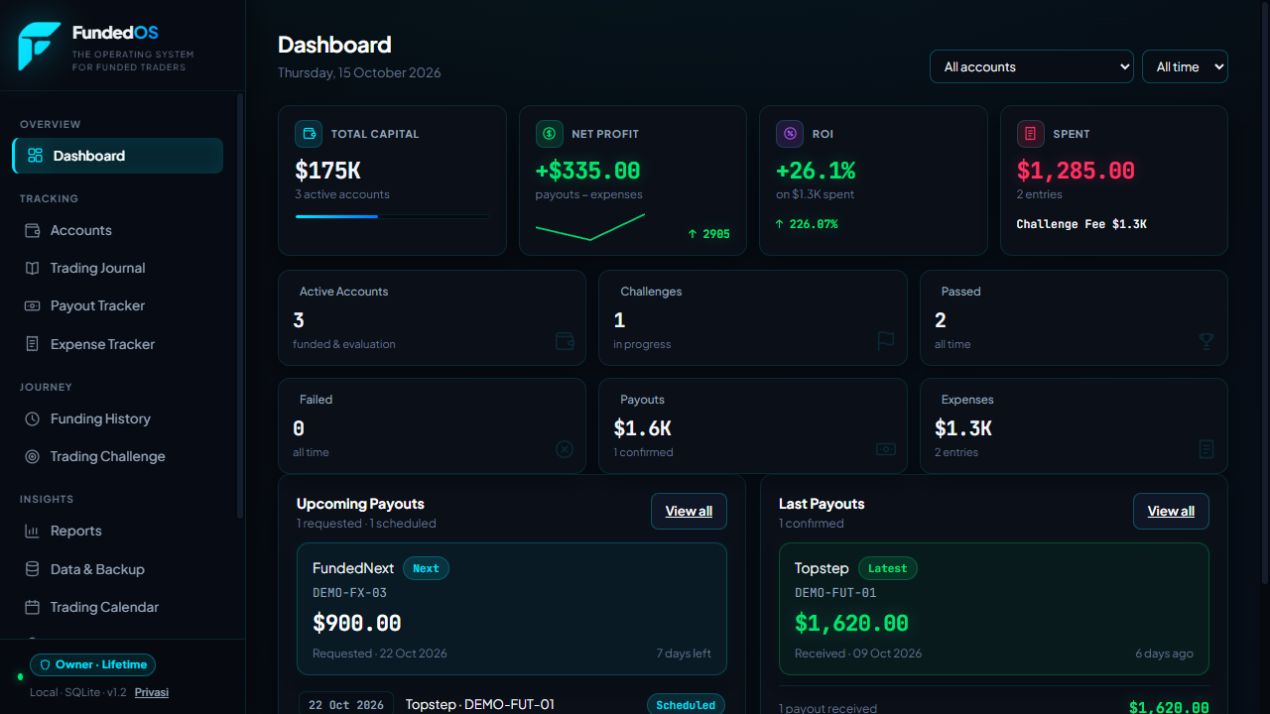
Trades on one platform. Challenge fees in your notes. Payouts somewhere else. FundedOS brings them into one journal you can review after every session.
For futures, forex, and CFD traders managing evaluation and funded accounts. Start with one account, then bring your whole trading journey together.
See what you can manageFrom a single entry to your monthly review, everything has its place.
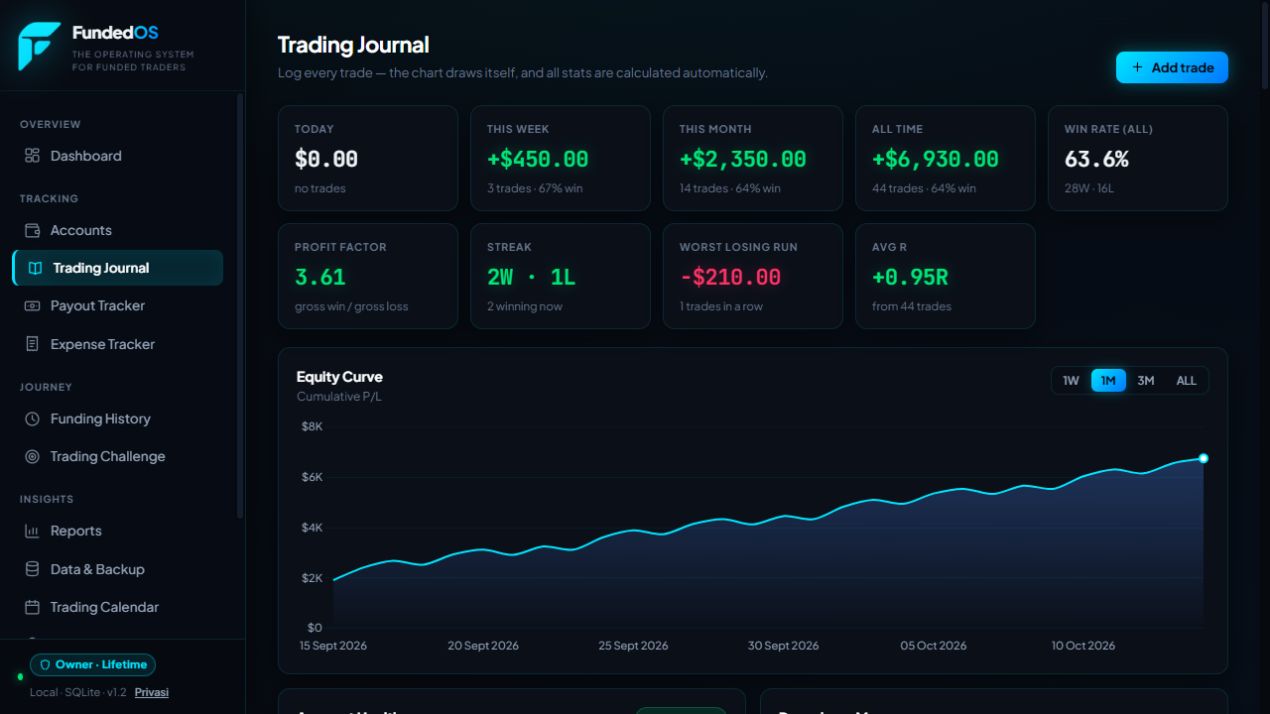
Keep entries, exits, direction, position size, P/L, screenshots, and notes. Revisit the decisions behind each trade.
Manage evaluation and funded statuses, account history, and challenge targets.
Record received payouts and trading costs to understand your net results.
Read daily results and see how one session shapes your month.
Keep copies of your data and export your journal for your reviews.
See how it works
Explore the dashboard, journal, risk tools, reports, and imports in this short demo.
The video could not be loaded. Refresh the page or use the Download video link below.
An animated walkthrough with English captions. All figures use illustrative data.
Download videoBring closed trades from your platform without typing them in one by one.
Import ProjectX directly, or match columns for Tradovate, MT5, TradeLocker, and other CSV files with complete trade data.
Prepare a CSV of completed trades, including times, symbols, and P/L.
Choose the destination account, match columns and number formats, then review the preview.
Duplicate trades are identified by their import identity. Review the preview before importing a file again.
FundedOS is free for now. Bring your journal, explore the features, and help us make it more useful.
Sign in with Google, or Discord for FundedCamp members.
Current access
Freeall features
If paid plans are introduced later, their details and terms will be announced in advance. There is no automatic billing at this time.
FundedOS is a journal and management tool for prop firm accounts. Log trades, manage evaluation and funded accounts, track risk, and review payouts, costs, and performance reports.
Yes. All features are currently free, without a payment card or trial limit. Paid plans are not enabled. Any future access changes will be explained before they take effect.
Yes. Add accounts and risk rules that match your prop firm. FundedOS is not limited to Topstep or a single platform.
ProjectX / TopstepX, Tradovate, MetaTrader 5, TradeLocker, and other CSV files with mappable trade columns. Use closed-trade data. Raw orders or deals that need to be combined into trades are not reconstructed automatically.
Not yet. Data is entered manually or imported from CSV. Risk figures and reports use the data you save, so keep it updated for relevant reviews.
Use a verified Google account, or a Discord account that belongs to the FundedCamp server. You do not need a new FundedOS password.
Yes, through a browser on your phone, tablet, or computer. The interface adapts to your screen. A computer is more comfortable for reviewing CSV files and wide reports.
Yes. Open Data & Backup in the app to save a copy or export your journal. Keep backup files secure because they can contain your trading history and private notes.
No. FundedOS is for logging and reviewing. It does not execute orders, guarantee profits, or guarantee passing an evaluation. Always verify rules and risk figures with your prop firm or platform.
Built with traders
Email the FundedOS team. For a problem report, include the page and the steps that triggered it.
Do not include passwords, login tokens, or private backup files in email.